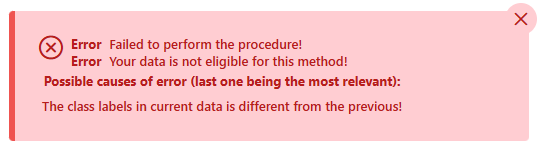
Yesterday, I’ve encountered problems with Batch Correction tool. It wasn’t accepting my data for not being the right format, but the examples could be uploaded (no screenshots available). So I have taken the example csv file substituted one by one rows and columns with my data until I got to an error. This was meant either pass my data for the analysis or to locate the offending row/column. The red error box wasn’t specific enough about the issue. I got all the data in and it worked. Kinda. There is a strange issue.
In the downloaded file some of the sample names were substituted by names from an experiment that wasn’t used here. I don’t recall using this data set for Metaboanalyst at all. Strange injection of data between datasets.
I could not reproduce this analysis. The Examples could be uploaded and processed, while my data could not - “Wrong format” error.
Today in the morning, the Examples can’t be processed for not being eligible. See pics below. Nothing changed, just a new day. My data are no longer of wrong format, but can’t be processed either.

What is going on? How can I proceed with the batch correction tool.
Is plus sign “+” allowed in the Class name?
Cheers,
Mariusz