Hello,
I’m observing an error when performing One-way ANOVA analysis in the Statistical Analysis [one factor] module. Specifically if I upload data in which the samples are not sorted by group (see attached: P24_0802_Exp_1_combined_for_MA-group_1_to_4_only.csv) I observe no statistically significant features.
If I sort the data by group (see attached: P24_0802_Exp_1_combined_for_MA-group_1_to_4_only_group_sorted.csv) then I get a very different result with around 1000 significant features at 1% FDR. This is also the result that I get on my MetaboAnalyst Pro account and is more in line with what I would have anticipated from this dataset.
I suspect that the samples are being assigned to the wrong groups for the ANOVA analysis.
I’m having trouble providing the files here but if you would like them then please shoot me an email and I’ll send them through.
Can you reproduce this using our example data? You can also share your data with me. Please document every step (including the R command history) so we can investigate in details.
Sorry for the late reply. I looked at this a while ago and figured out that it occurs with data sets above a certain size, but it then fell off my radar.
I’ve come across another example today with a dataset which is small enough to be uploaded. The attached files have the same data but one has the samples (rows) in a random order while the other has sorted the data to have all the samples belonging to the same group next to each other.
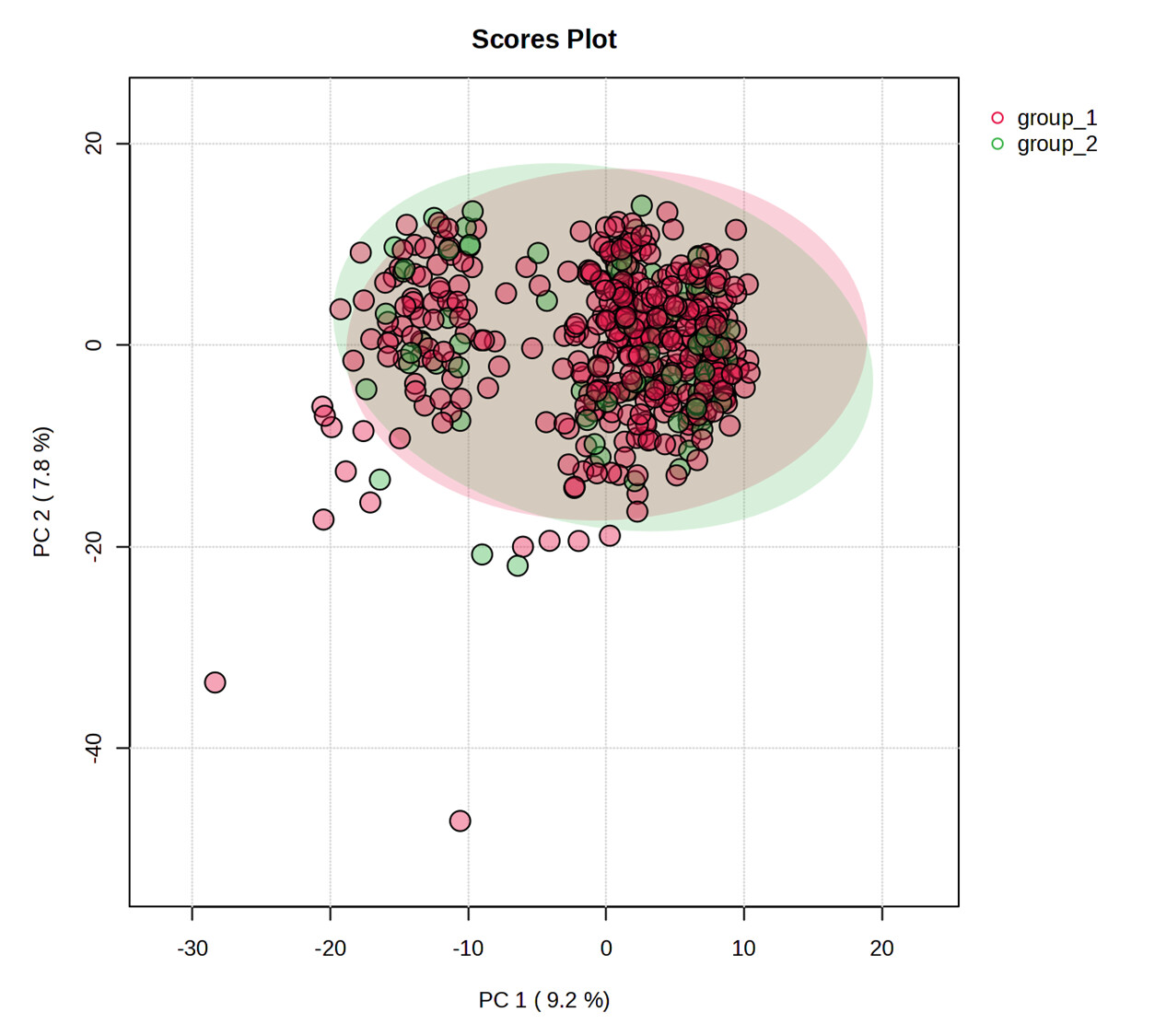
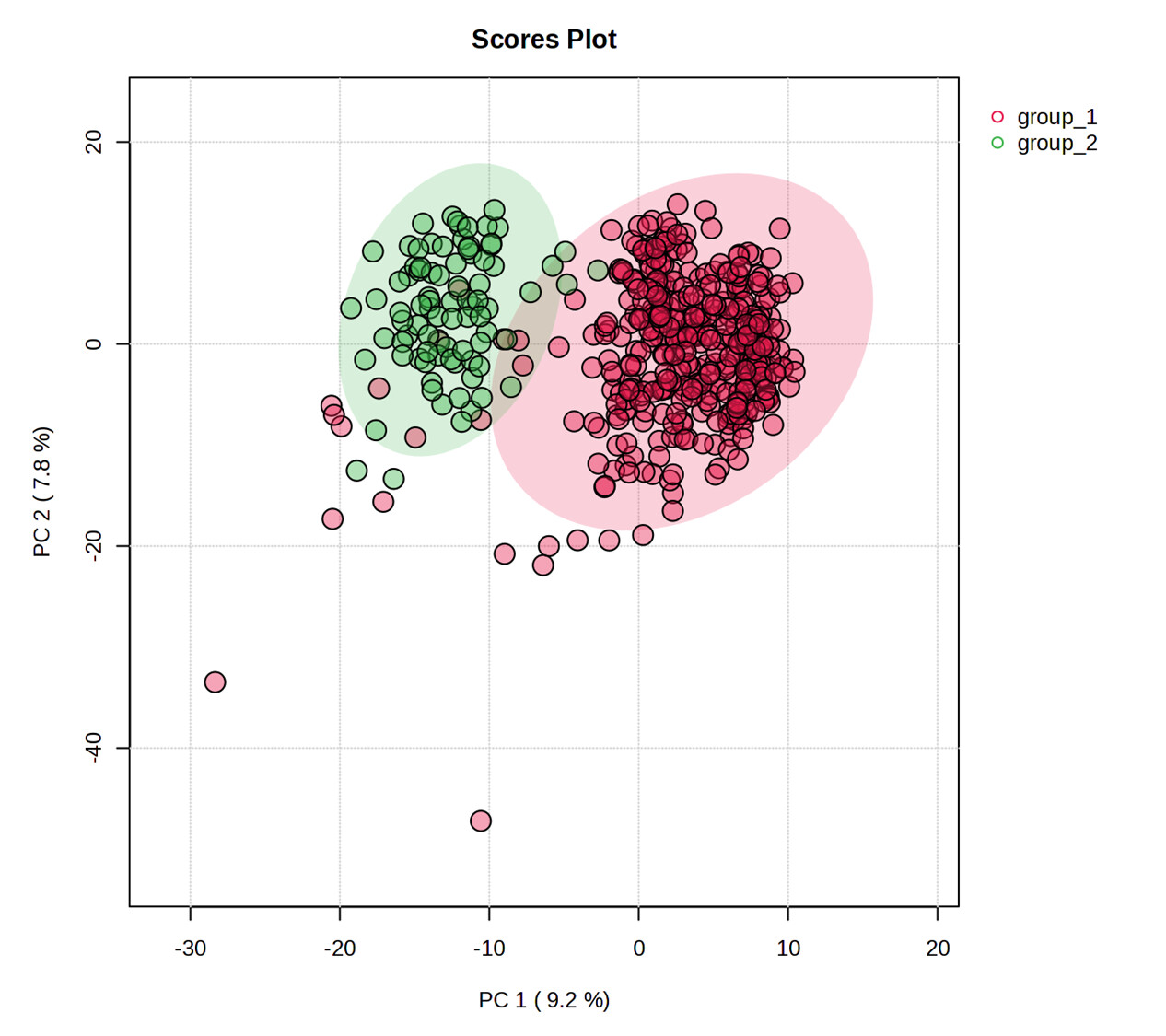
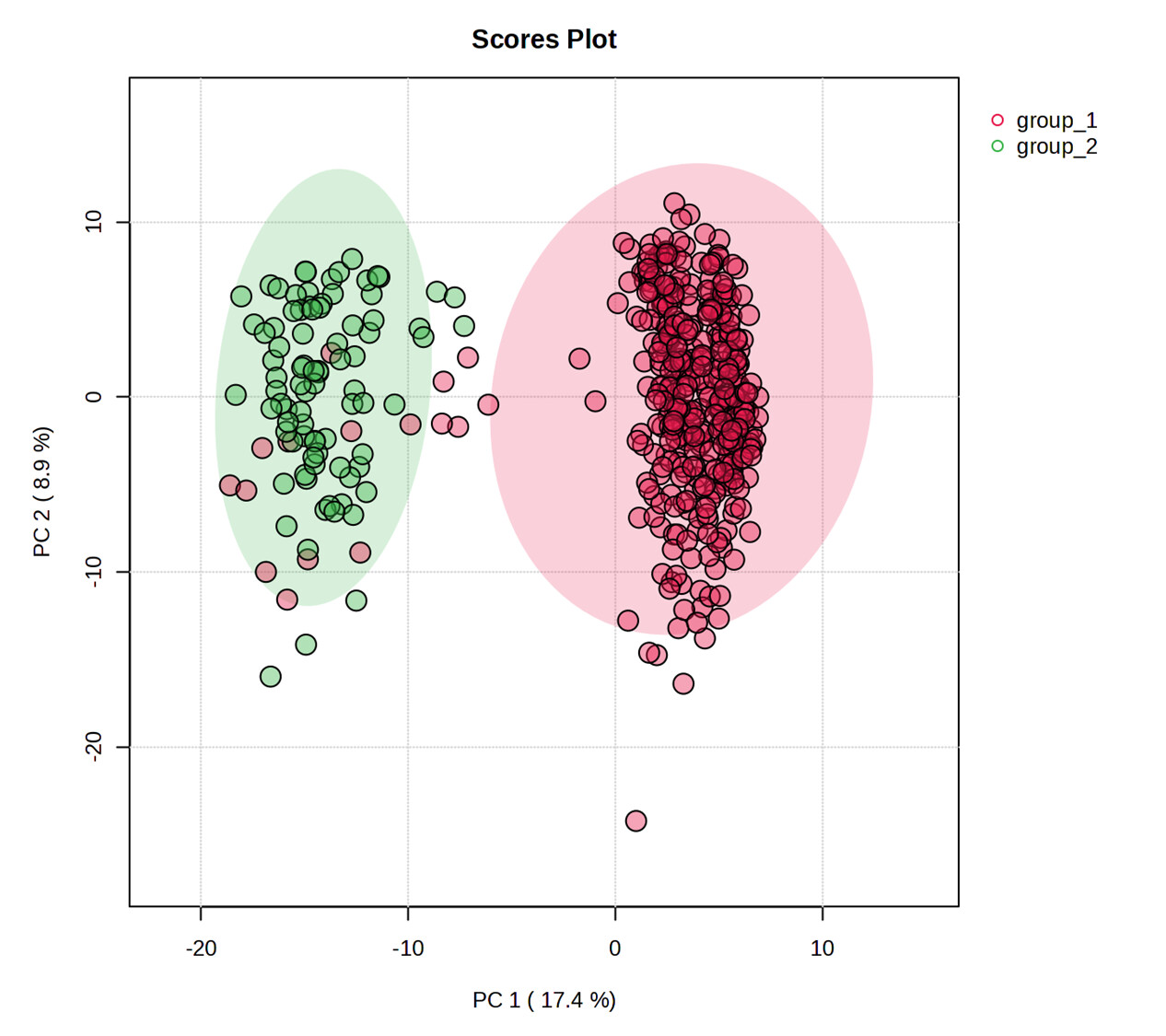
The scrambled data misassigns the groups. For example, here is a PCA for the scrambled groups:
You can see that the PCAs show the points in the same position, but the group assignment is different. This misassignment of groups is occurring in other modules I tried as well.
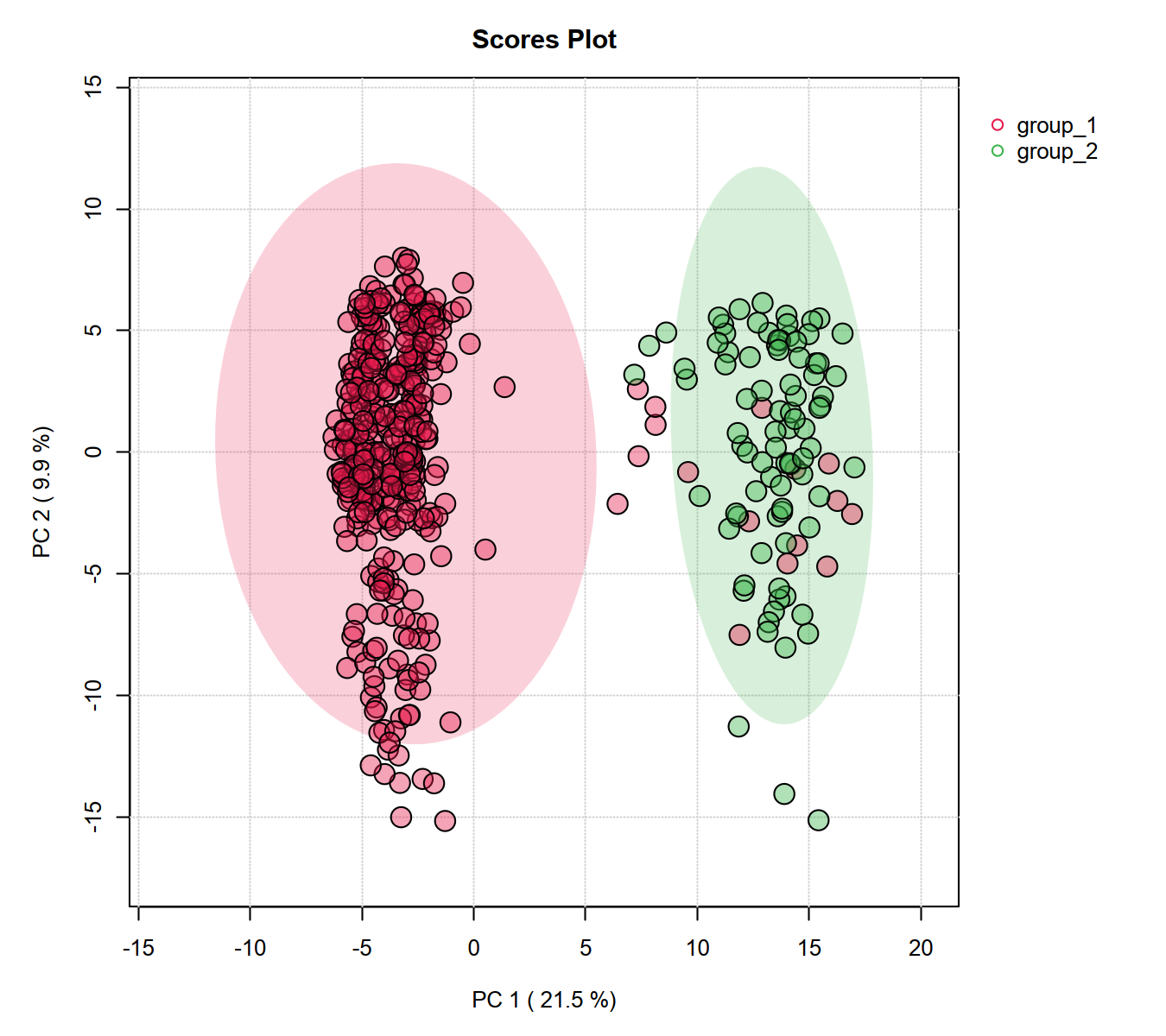
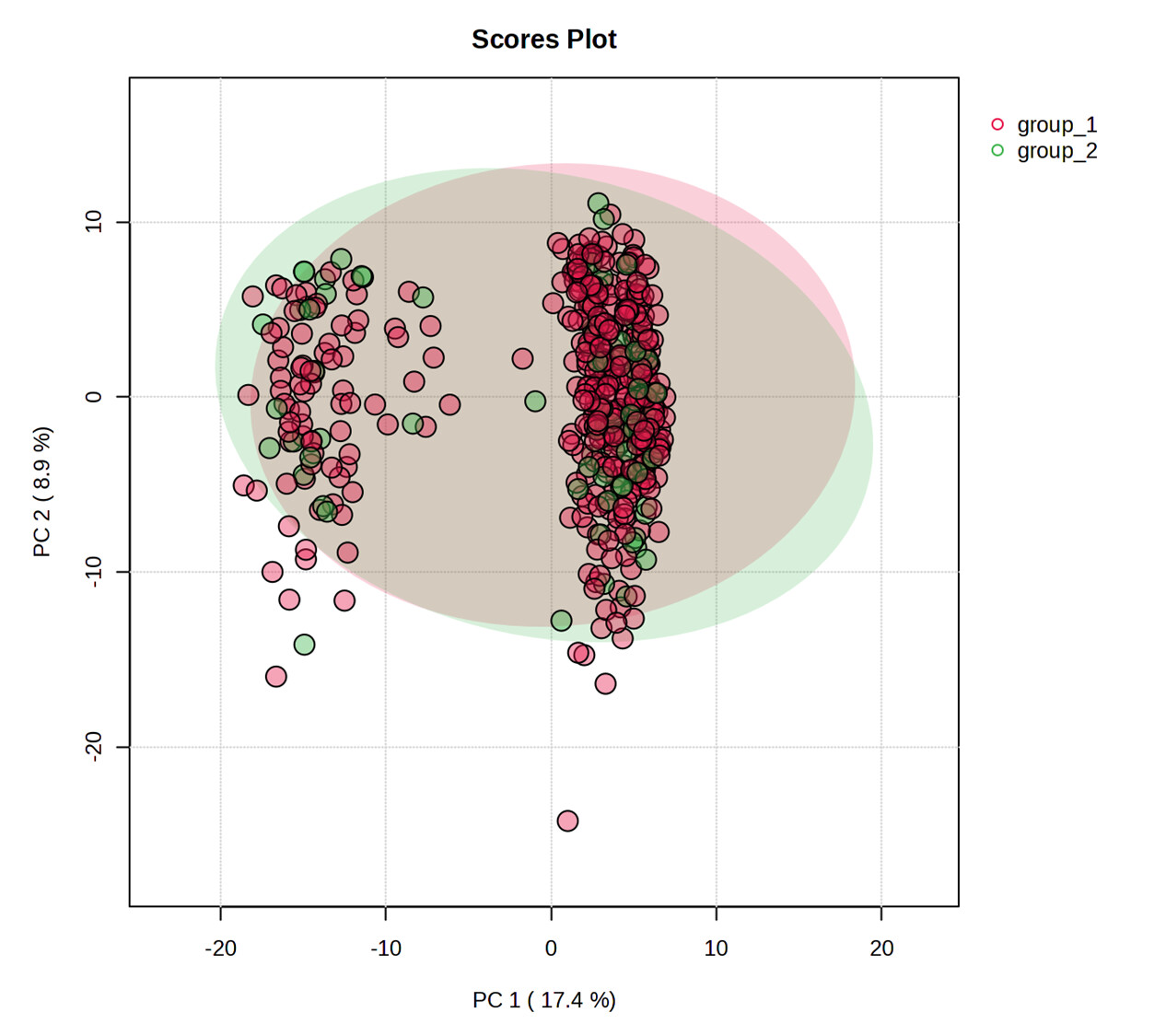
Thanks for the data. Using the scrambled data and all default steps (log transformation). The PCA is correct (see below). Can you provide the steps you performed that led to the PCA results you generated? Please refer to our post guide for more details for such requests
Thanks for your response. My initial conditions would have been with the default parameters:
ie. No data filtering, imputation = 20% of lowest pos. value, Median normalized, log10 transformed and Pareto scaled.
I have tried to reproduce the result from your last post using:
No data filtering, default missing value imputation, log10 transformed, the R history is attached:
I uploaded a slightly smaller version of the file so that I could upload files from the download page. Following upload, from the Data check page, I then skipped straight to the download page to avoid any complications associated with differences in data processing steps. I can’t upload a .zip here but I’ve attached all the files (I changed the file extension on the Rhistory file to allow upload).
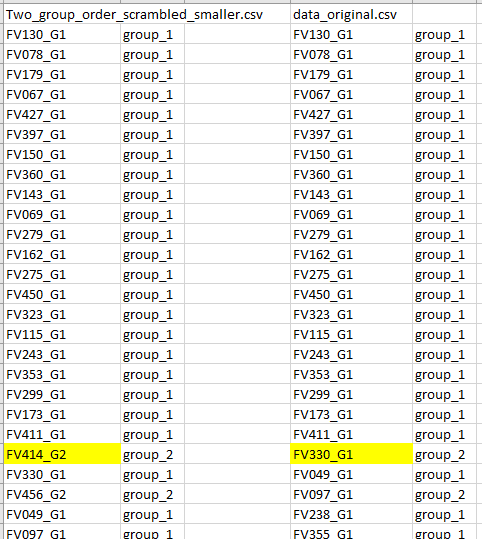
The sample order in the data_original.csv is different to the uploaded file (Two_group_order_scrambled_smaller.csv). Specifically, the samples have been sorted by group however the groups have not been updated to reflect this. Note, this is consistent with my earlier observation that there is no problem when data is sorted by group prior to upload.
My recommendation for anybody reading this is to sort your data by group prior to upload.
There is some additional weirdness I’ve found while trying to solve this. If I upload data with samples in columns rather than rows, I get an error saying duplicate features are not allowed. This error doesn’t appear when uploading the same data with samples in rows. Are duplicate feature names allowed?
Hi Chris, Thanks for the details. We were able to reproduce the bug. This is the first time that we noticed the production server gave results different from our development enviroment. The issue is now fixed …
For your second question, there should be no duplicated names allowed (features or samples uploaded in rows or columns). I can see there are special characters in your feature names that will lead to issues during parsing. MetaboAnalyst will replace spaces with underscore, and special characters will be removed. The process may introduce duplicates … this is so hard to prevent, as there are so many exceptions