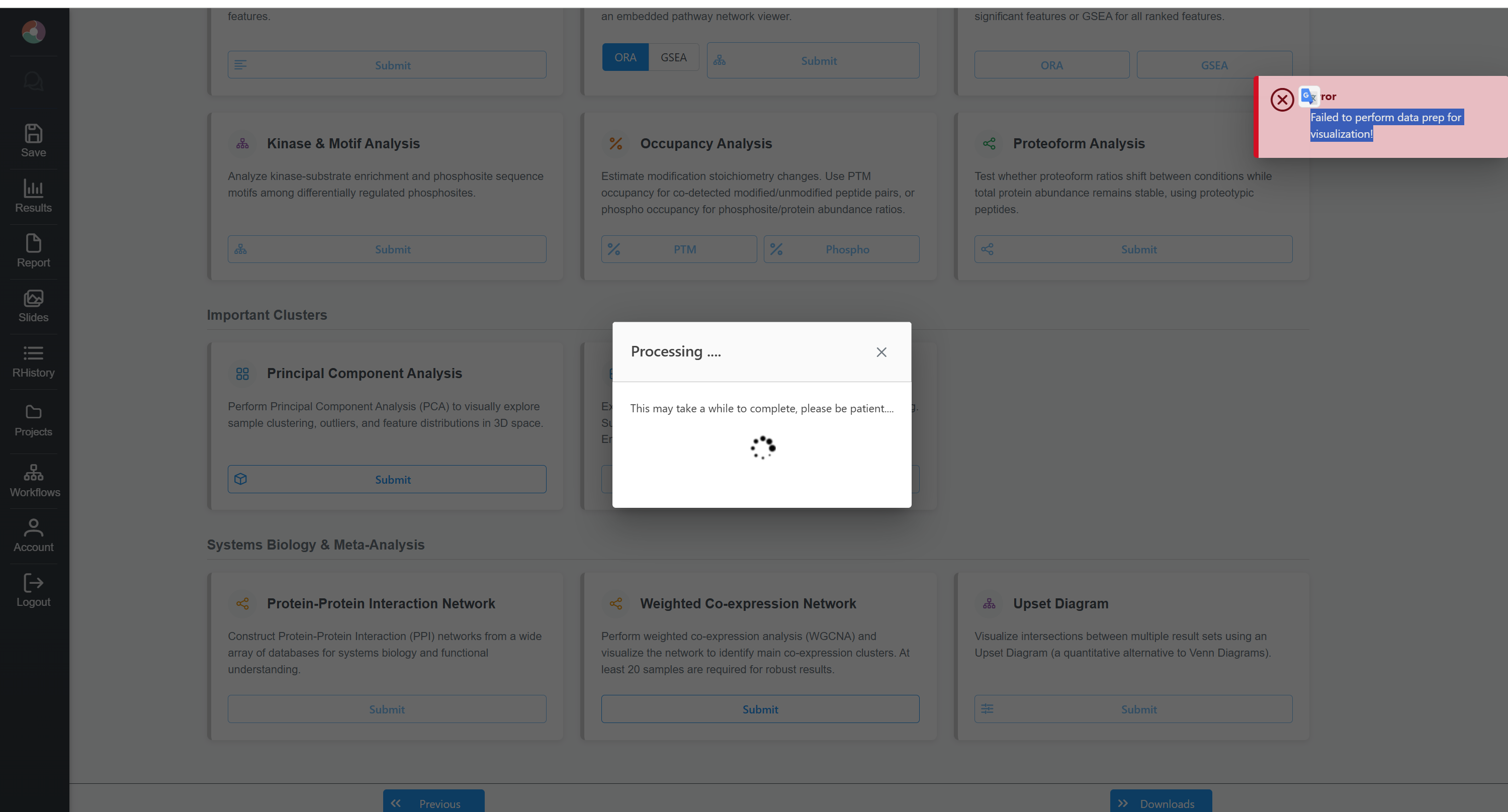
I am using the web platform and have encountered two specific errors on the “Analysis Overview” page. These issues prevent me from accessing the downstream analysis modules, even when using the platform’s built-in example dataset.
Data Used:
I did not upload a custom dataset. I used the system’s built-in example dataset directly (Platform: DIA-NN, File: diann_main_search.pg_matrix.tsv, 8 samples, 2 groups: CM39AL vs Control).
Steps leading to the expected issue:
Loaded the built-in DIA-NN example dataset via the Upload module.
Passed the “Data Quality Check” page.
On the “Data Filtering & Normalization” page, I set:
Data Transformation: Log2 transformation only
Sample Normalization: Normalization to sample median
Clicked “Submit” and then proceeded to the “Analysis Overview” page.
Action 1: Under the “Differential Analysis” card, I clicked the “Submit” button.
Action 2: Under the “Principal Component Analysis” (PCA) card, I clicked the “Submit” button.
Observed issue:
For Action 1 (Differential Analysis): Clicking Submit redirects to a completely blank page with a “404 Not Found” error. It appears the routing link might be broken.
For Action 2 (PCA): Clicking Submit triggers a red error toast notification in the top right corner stating: “Failed to perform data prep for visualization!” Meanwhile, the central “Processing…” window hangs indefinitely. (I have attached a screenshot of this error).
Since this occurs with the built-in dataset, I suspect it might be a server-side backend issue or a recent UI routing bug.
I have followed your steps and was not able to reproduce the errors. I am suspecting the server was overloaded when you tested. However, if you encounter the same issues again or other issues, please let me know.
Thank you for checking this. To see if it was indeed a temporary server overload, I performed a fresh test today directly on the main website (https://www.omicsverse.com/home.xhtml), but the exact same issues persist and are 100% reproducible on my end.
Here are the precise steps to reproduce the errors using another built-in dataset today:
1. Data Selection:
Selected the Proteomics tool → Quantitative Proteomics module.
Selected the built-in example dataset: “DIA-NN pg_matrix example Metadata; 12 samples”.
Passed the Quality Check page successfully.
2. Testing scenario A (No Normalization):
On the Normalization page, I left both Data Transformation and Sample Normalization as “None”.
Clicked Submit and went to Analysis Overview.
Action: Clicked “Submit” under Differential Analysis.
Result: Redirected to a constant 404 Not Found page (/proteo/Secure/expression/ComparisonView.xhtml).
Action: Clicked “Submit” under PCA View.
Result: Infinite loading screen with a spinning circle, page remains blank.
3. Testing scenario B (Standard Normalization):
I went back to the Normalization page and strictly set:
Sample Normalization: Normalization to sample median
Data Transformation: Log2 transformation only
Clicked Submit and proceeded to Analysis Overview.
Action: Clicked “Submit” under Differential Analysis.
Result: Still redirecting to a 404 Not Found page.
Action: Clicked “Submit” under PCA View.
Result: The infinite loading screen appears again, but this time accompanied by a red toast error at the top right: “Failed to perform data prep for visualization!”
I have taken screenshots of both testing scenarios and the resulting 404/red errors today. Please let me know if you would like me to upload them here to help with the debugging process.
I just found that when I use the alternative URL (https://www.proteoanalyst.ca/ProteoAnalyst/home.xhtml), the entire pipeline works flawlessly. However, the exact same workflow 100% consistently fails on the main URL (https://www.omicsverse.com/home.xhtml) as I described above.